
Listening Post
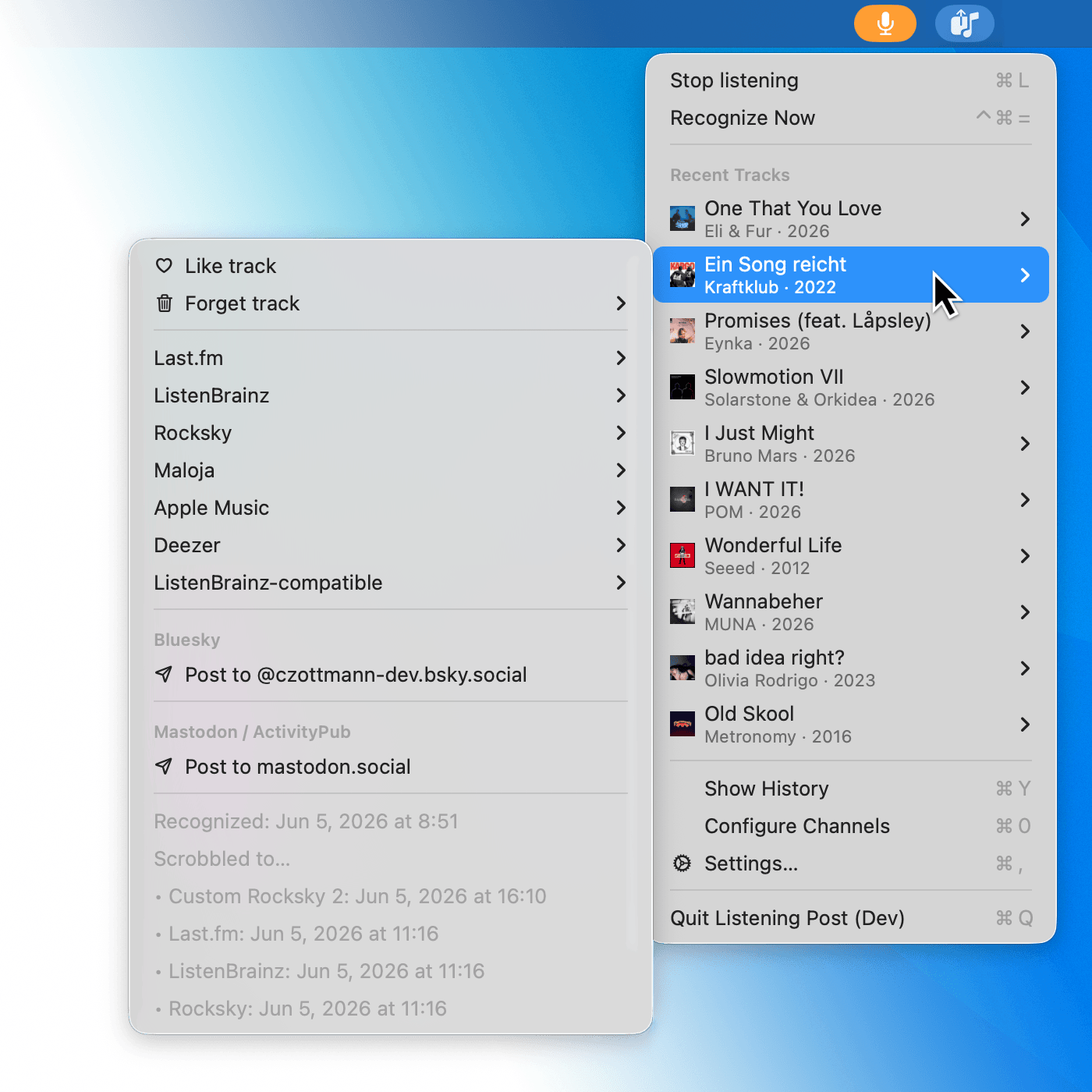
Turn your Mac into the scrobbling hub for all your Apple devices. Supports Shazam on iPhone, iPad, Apple Watch, and Mac; Last.fm, ListenBrainz, Maloja, Rocksky, Apple Music, Spotify, Deezer, Bluesky, Mastodon, local CSV/JSONL files, and Shortcuts automations.
For macOS 15.6+.
14-day trial. Perpetual upgrade licenses. No subscriptions.
After downloading, check
the documentation for details, and
our forum for discussion and support.
Listening Post speaks English, German, French, Italian, Spanish, and Polish.
Real-world examples
Here’s How It Works.
Recognition
Two optional sources, side by side:
❶ Your Mac's mic checks for music every minute (with no audio leaving the device).
❷ Anything you shazam on iPhone, iPad, or Apple Watch arrives
via Apple's own iCloud sync.
Both feed into LP's database.
Enrichment
After recognition, the app queries external services like ListenBrainz, Spotify, or Last.fm for their track links. Each source is only queried when its corresponding channel is enabled.
It Posts Your Listens (Eh? EH? 😅)
Recognized tracks wait in a queue (default: 5 mins) before being sent anywhere (see below). This gives you time to skip false positives or tell the app to forget particularly awful songs.
Your Track History
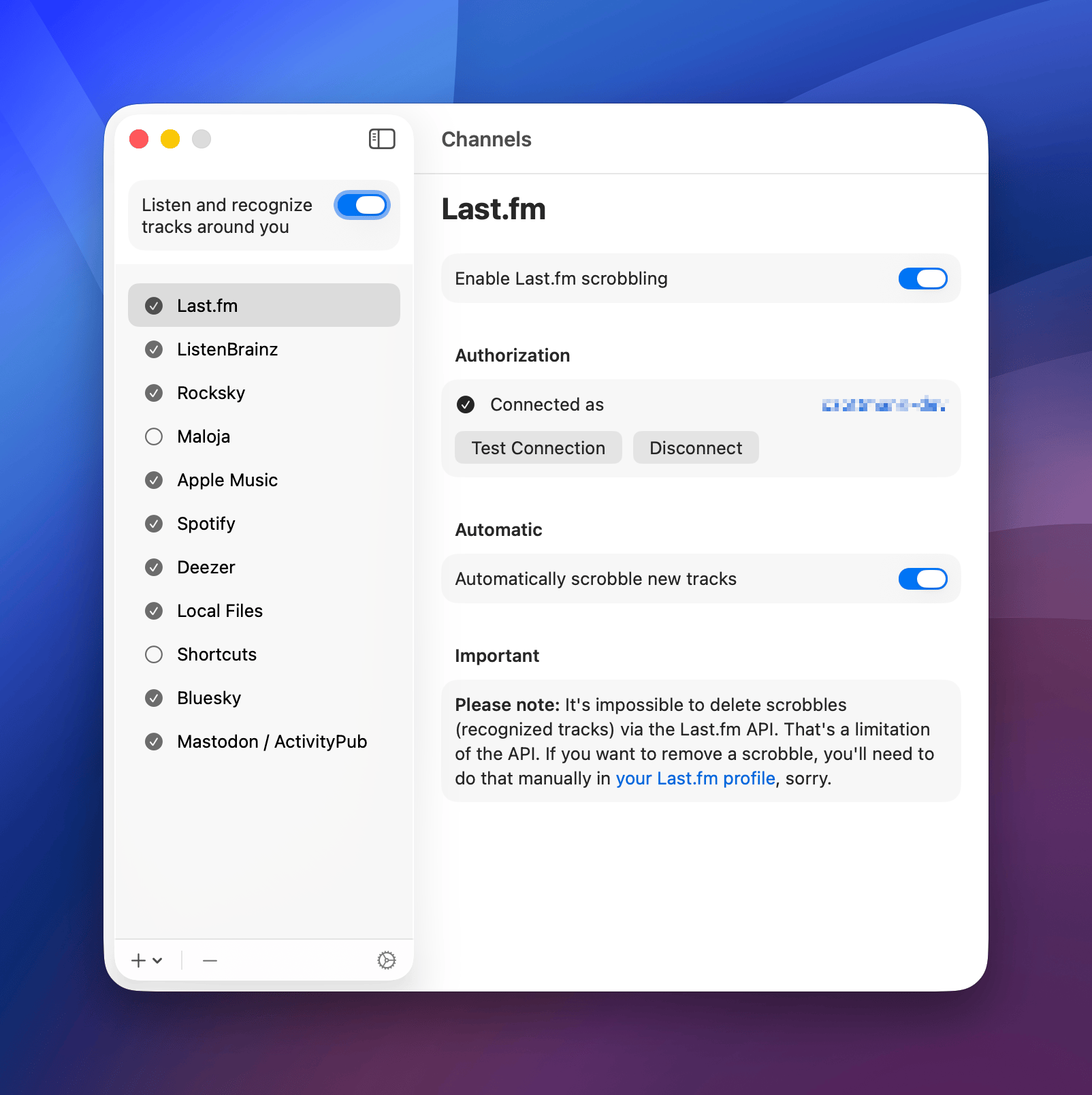
One Window. Every Listen.
Cross-device duplicates collapse to one row, with a small Shazam-logo badge marking listens that came in via iCloud. So you see the listening, not the plumbing.
Not good enough? LP exports to CSV or JSONL, out of the box.
Don’t Just Listen, Do Stuff!
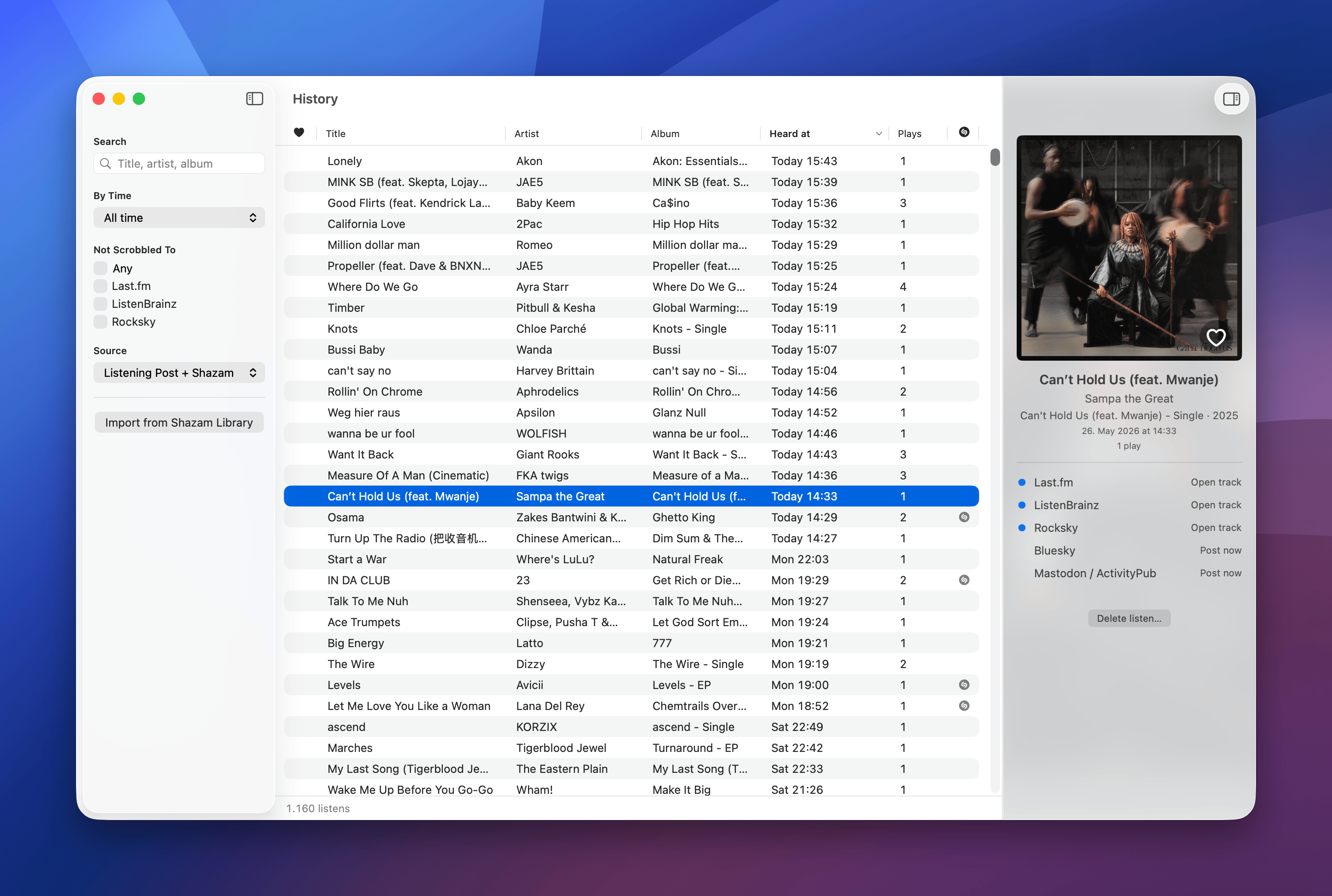
Channels let you work with your recognized tracks. Each can be independently enabled or disabled. All are optional.
Scrobble to local CSV or JSONL files, Last.fm, ListenBrainz (and compatibles), Maloja, or Rocksky (and compatibles).
Kinda like "Live, Laugh, Love" but for music: The app finds your recognized tracks on Apple Music, Spotify, and Deezer. It supports liking tracks on Last.fm, ListenBrainz, and Spotify.
Post recognized tracks to Mastodon / ActivityPub or Bluesky, either automatic or manually.
What's playing? Just check your desktop!
Run macOS Shortcuts workflows on recognitions and more.
It's early days, and the future is unknowable! Still, there's a Listening Post roadmap.
How is Listening Post different from…
… other iOS scrobblers, like AirScrobble, Scrobblie, Marvis Pro?
They're great at scrobbling Apple Music — but only on the phone, and only to Last.fm. LP sees what you shazamed on the phone anyway (via iCloud), and forwards it to every scrobbler you use.
… other Mac scrobblers, like ShazamScrobbler, NepTunes, ScrobbleMate?
Most Mac-only scrobblers either watch one specific player app (Apple Music, Spotify) or the local Mac Shazam app. None of them follow you across devices, and none of them speak more than Last.fm. LP does both.
… other Apple Watch scrobblers, like … uhmmm …
Indeed. 😉
… Spotify and Apple Music scrobblers?
They only see what you play in those apps. LP works with any music source — radio, vinyl, café background music, YouTube, a friend's playlist — and yes, also Apple Music and Spotify.
… self-hosted multi-service stacks (multi-scrobbler, Maloja, Pano on Android)?
Those are great if you run a homelab and like Docker. LP is the answer if you want the same multi-service flexibility on Apple, without the server, the YAML, or the maintenance.
#DigitalSovereignty
Why Does This App Exist?
I wanted something like Listening Post for a long time for myself: a good macOS-native scrobbler
that isn't tied to …
a) any specific music service (Apple Music, Spotify, etc.)
b) any single device, or
c) any specific scrobbling service (Last.fm etc.).
That middle one is the part I cared about most. I shazam stuff on my Apple Watch out on a
walk, on my iPhone in the car, on the Mac at my desk. Apple already syncs all of that through iCloud —
so why should my Watch listens be stranded on my Watch? LP grabs them on the Mac and scrobbles the lot, no
extra iOS app required.
Getting every listen into one place is only half of it; the other half is making sure that place is
mine. Don't get me wrong: Last.fm is nice, but it shouldn't be my source of truth! Lock-in is real.
Services jack up prices, decide you're not their target demo anymore, or shut down their APIs so you lose
access to the raw data. And then what?
Listening Post stores your data on your machine, where it belongs, and exports to local files,
in formats you can work with. You share to scrobbling services rather than fully rely on them.
Because, and this is important:
We shouldn't have to ask external services for our own damn data. With LP, our listening
history is ours from the start, and we decide what we want to do with it.
#DigitalSovereignty
Sounds Good? Allow Me To Keep In Touch.
Stay up to date with Listening Post's progress, my apps and services, and the occasional sale.
A place to discuss your Shortcuts workflows. You can also ask questions, share your ideas and report bugs.
Lots of friendly people there.
Visit the ActionsDotWork Forum
~1 post/month. No spam, no bullshit.
About this email subscription ℹ️
After clicking "Subscribe" you will receive an opt-in email, which you need to confirm to complete your
subscription. Had a sudden change of mind? Then just ignore the email. No hard feelings. :)
Your address will only be used for updating you on the progress of my apps, upcoming releases, and the occasional sale. Every
email will contain a working unsubscribe link. I'm committed to the GDPR🇪🇺 both by conviction and by law. Common
decency applies.
If you want to chat, find me on Mastodon
@actionsdotwork@pkm.social (just apps & services) and
@czottmann@norden.social (personal account).
I'm also on Bluesky:
@actions.work (just apps & services) and
@zottmann.dev (personal account).
And since I need a place to post tutorials and whatnot, there's
@ActionsDotWork on YouTube.